Manual Time Tracking is a Disaster
The accuracy is only between 35% and 66%
Up to 20% Billable Hours vanish into thin air |
| According to Tribes.AI 2022 research, up to 1 in 5 billable hours is never recorded |
Messy data, messy decisions |
| Manual tracking creates error-prone, incomplete records that produce unreliable reports - sabotaging your billing accuracy, project planning and business intelligence |
Your team despises it! |
| Manual time tracking is a productivity killer - timer interruptions shatter concentration |
TimeWave swaps over to help
Never miss a billable minute again - even across multiple clients
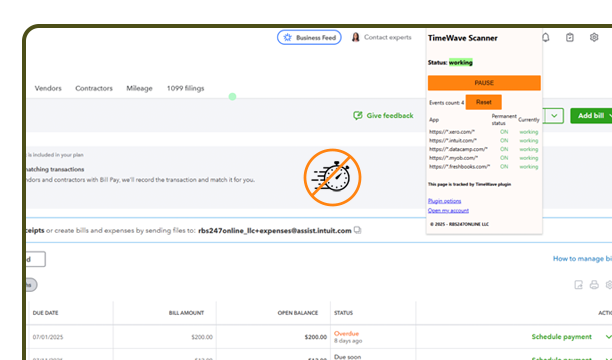
Forget about start/stop timers
TimeWave silently tracks all your work in the background as you switch between different clients and tasks, so you stay focused on what matters
The true multi-client tracker
TimeWave is virtually unique in automated associating units of work with multiple clients. Set it and forget it - TimeWave does the sorting for you
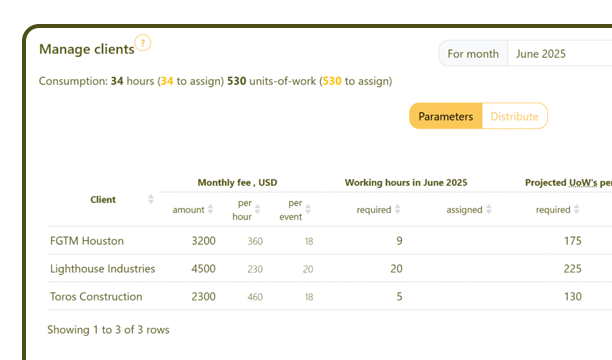
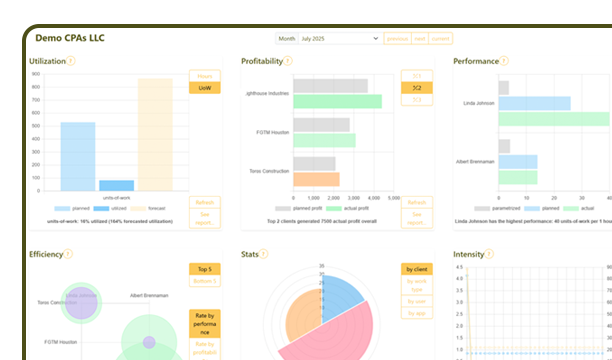
Client-centric performance management tool
Every user activity is automatically categorized and measured, providing you with the exact data needed for confident client billing and pricing decisions
TimeWave distinguishes productive work from non-billable activities, helping you avoid both underbilling and overcharging
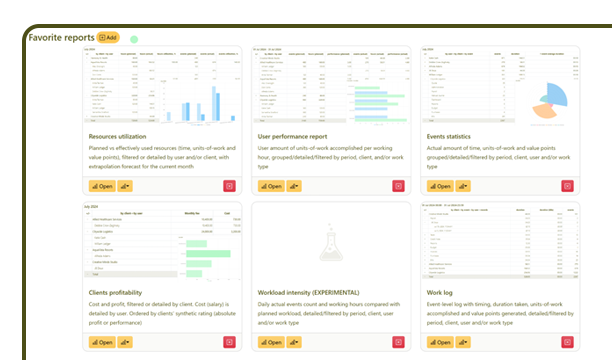
Unlock hidden efficiency opportunities
TimeWave not only checks performance of users but also that of customers. It benchmarks against aggregated company data, and suggests ways to increase efficiency
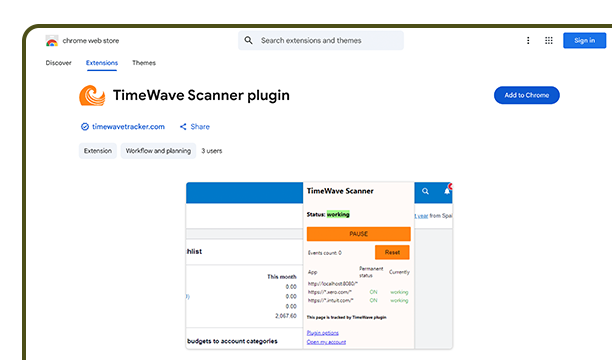
Super easy installation
1. Download and install the browser extension in one click (Chrome, Firefox, Edge, Opera are supported, Safari is coming soon)
2. Set up your workspace using Quickstart tool
3. Work as usual
4. Form reports and get insights from day one
Secure by design
Browser extension is created in strict compliance with extension development rules. It requests minimum permissions and has a limited access to an exhaustive list of application sites. Your personal data remains personal
User and company accounts are protected according to the highest data security standards. Role-based access control prevents data leaks
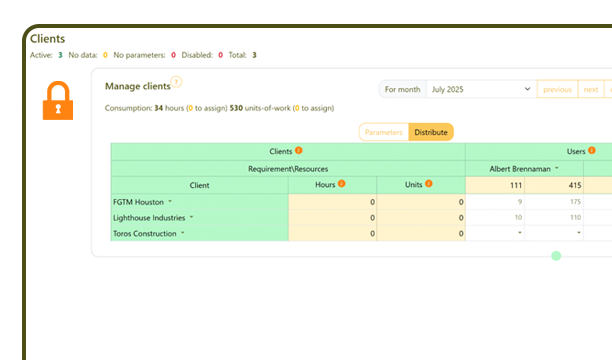
Built for Accountants
Works seamlessly with Quickbooks, Xero, MYOB, Freshbooks (and more coming)




Try TimeWave today
Discover the Power of TimeWave's automated Time Tracking now!
TimeWave's Pricing and Plans
Choose an option tailored for your business needs
Sole
For personal use
All basic features
$8.33 *
per month
* $100/year
Pro
Fully functional
Great for SMEs
$12 *
per user per month
* $144/year
Premium
AI powered
Best for those who innovate
per user per month
Corporate
For 50+ users
Special offer for large companies
$?
annually
Questions we often get
...and happy to answer!
Our application and database meet the highest data security standards. It was designed in Europe in full compliance with General Data Protection Regulation (GDPR).
Definitely! It depends on the number of active users. As a sole user, you can switch to "company use" by adding (inviting) more users to your workspace.
The opposite is also true: by deactivating other users you can switch back to "sole use".
The new mode comes into effect immediately if you are on a paid subscription. On a trial subscription, nothing actually changes.
The extension runs only on your active accounting-app tab and pauses when the browser is inactive.
We are constantly expanding the list of supported software applications, both web-based and desktop.
You can keep an eye on our progress by subscribing to our monthly news email.
In addition, registered users are entitled to request software package support via feedback form.
Request support for your app; demand sets our priority.
Client-server data packages are HTTPS (secured).
Our support team has a very limited access to the data strictly on a need-to-know basis.
Your data is safe!
Yes you are! The trial period is the same no matter how many active users are there in your workspace
Your account credentials should be used in the extension too
You can monitor data packages being sent in browser console.
To open/close console in Chrome press F12, in Firefox press Ctrl + Shift +J (on Mac Cmd + Shift + J).
You can switch between simplified/full info by checking the flag "Developer mode" in the TimeWave Extension Options
You can pause and start TimeWave for every application for a given browser session by clicking on the extension button (usually in the upper-right corner, the mosaic-shape button and then TimeWave plugin button).
Pause and start command affects all open tabs/windows of the given application.
You can switch off data collector for the application entirely (this preference will be saved between sessions) by unchecking corresponding flag in TimeWave Extension Options
Yes, if you come back within 12 months.
We keep your workspace data for 12 months after your trial or subscription ends, then delete it for good.
You can ask support to delete it sooner.
Deleted data cannot be restored!